Intune MDM
Connect Intune and Apple Business Manager
Steps for creating an Apple enrollment program token in Intune, generating the MDM server connection in Apple Business Manager, and uploading the Apple token back into Intune to complete the link.
Before You Start
- Make sure you can sign in to both Microsoft Intune and Apple Business Manager.
- Have permission to create enrollment program tokens in Intune.
- Have permission to create or manage MDM servers in Apple Business Manager.
- Be ready to use the same Apple ID consistently when creating and uploading the token.
Step 1: Open Apple Enrollment in Intune
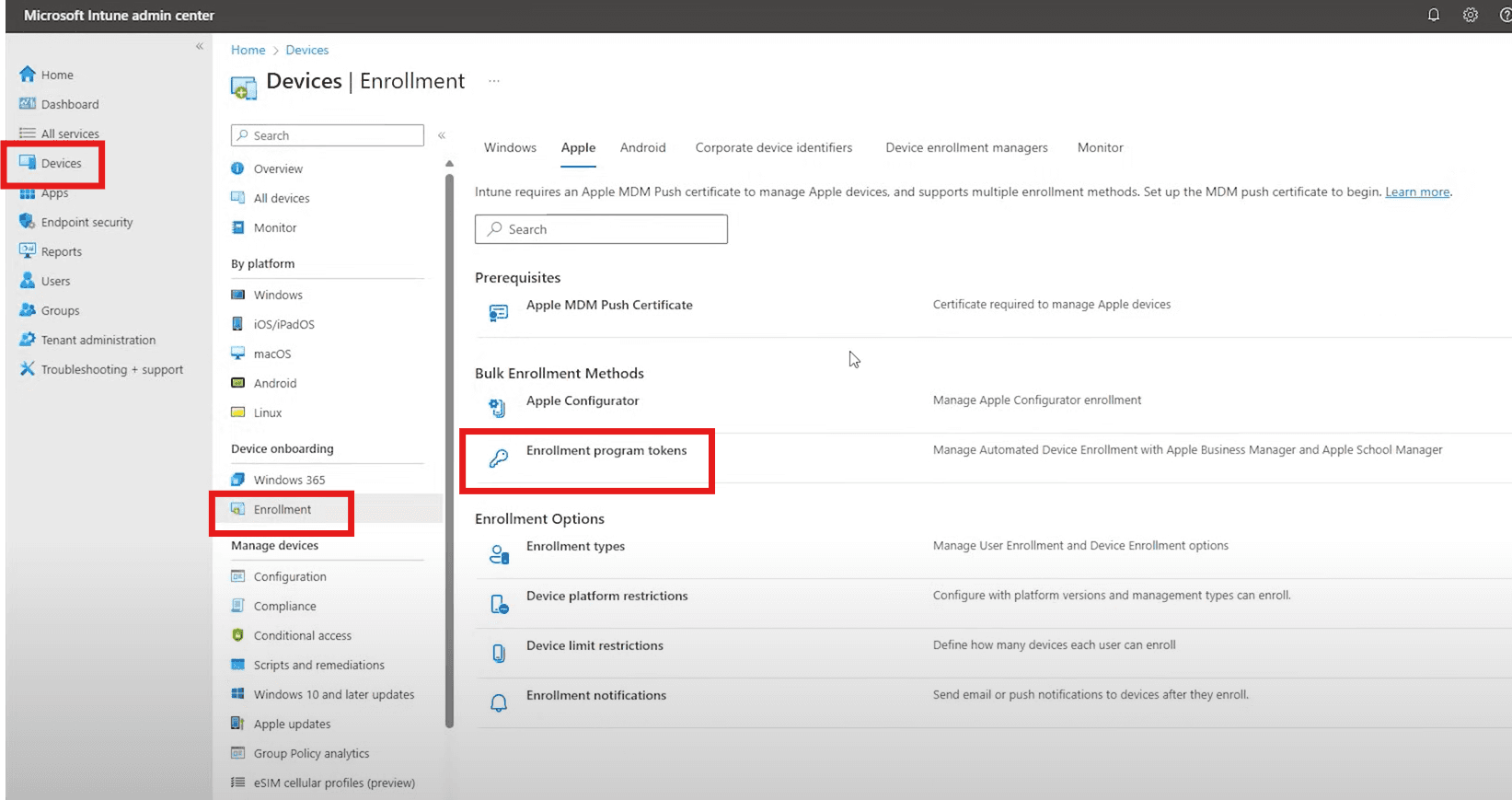
In the Intune admin center, go to Devices, then Enrollment, then Apple, and select Enrollment Program Tokens.
Step 2: Click Add
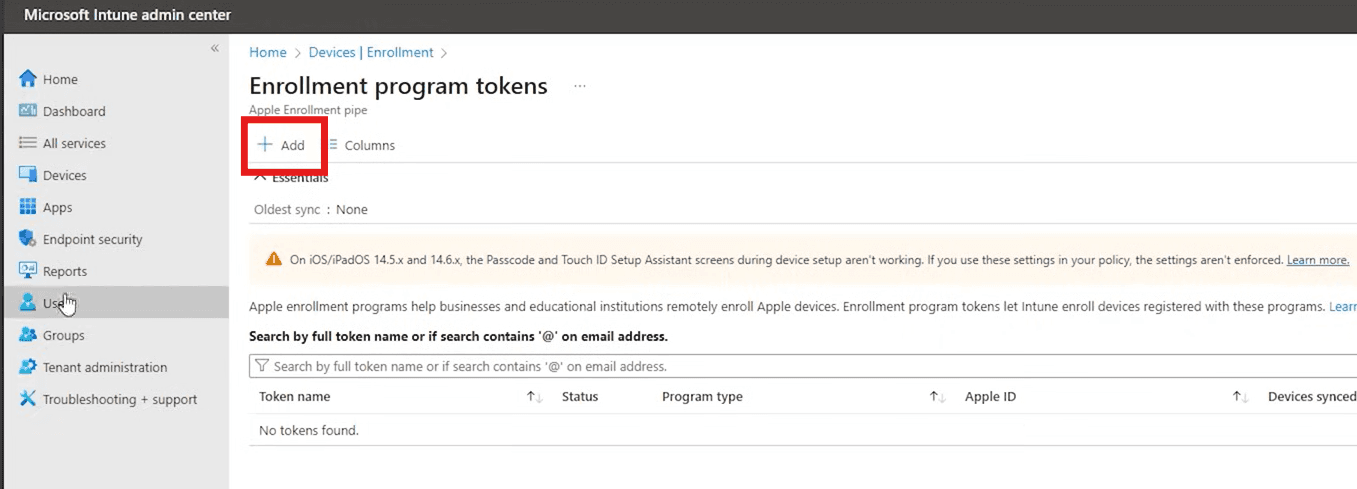
On the Enrollment Program Tokens page, select Add to begin creating a new enrollment program token.
Step 3: Start the Token Setup in Intune
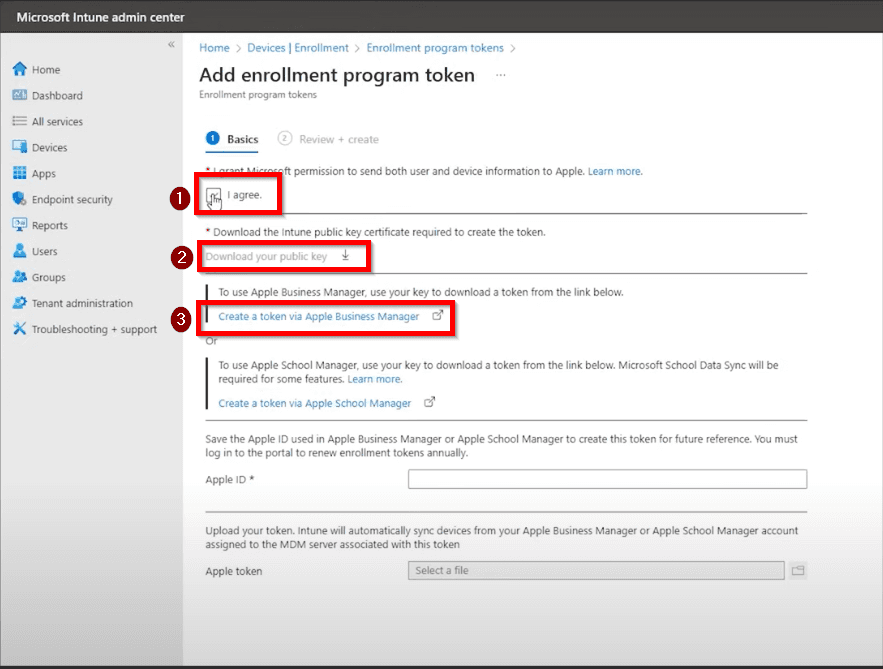
On the Add enrollment program token page:
- Select I agree.
- Download the Intune public key.
- Click Create token via Apple Business Manager.
This takes you to Apple Business Manager to finish creating the MDM server connection.
Step 4: Open Preferences in Apple Business Manager
In Apple Business Manager, click your name in the lower-left corner and open Preferences.
Step 5: Create the MDM Server
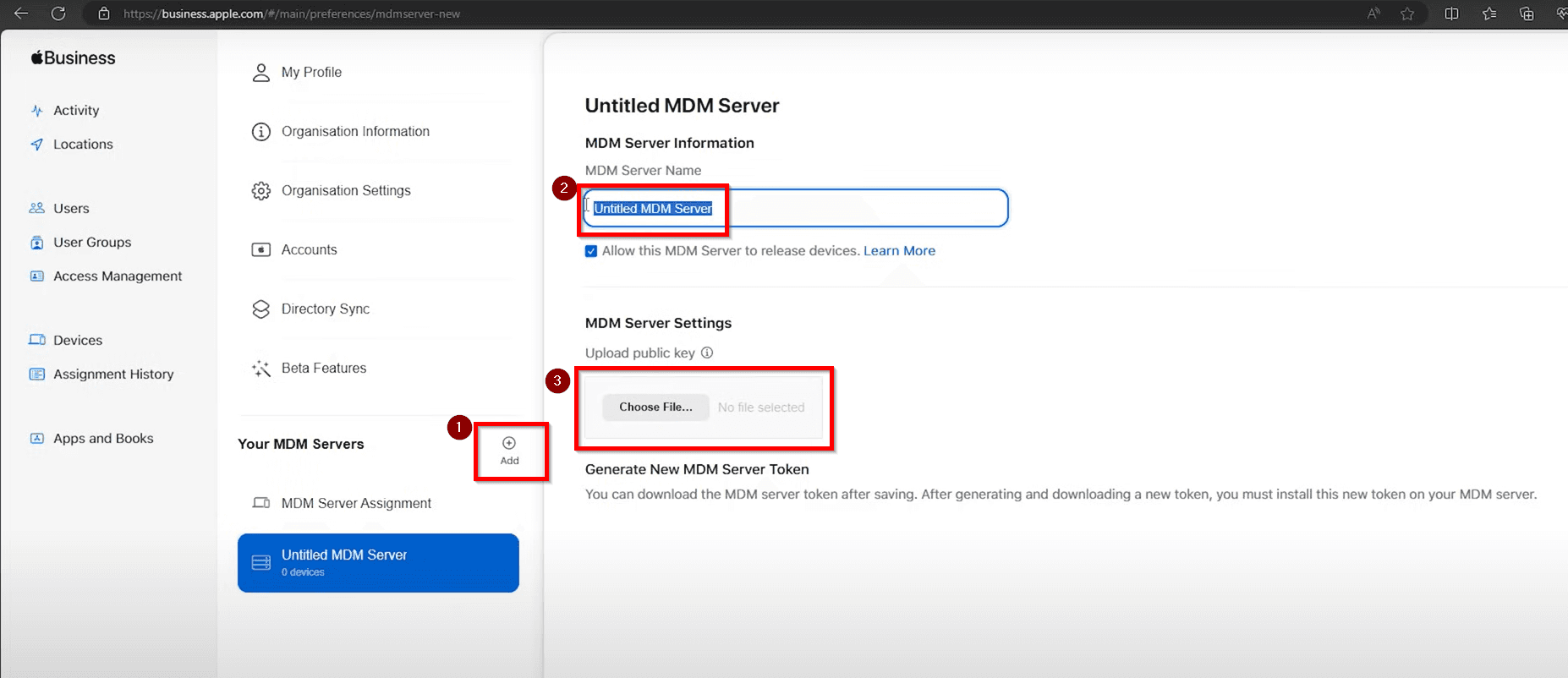
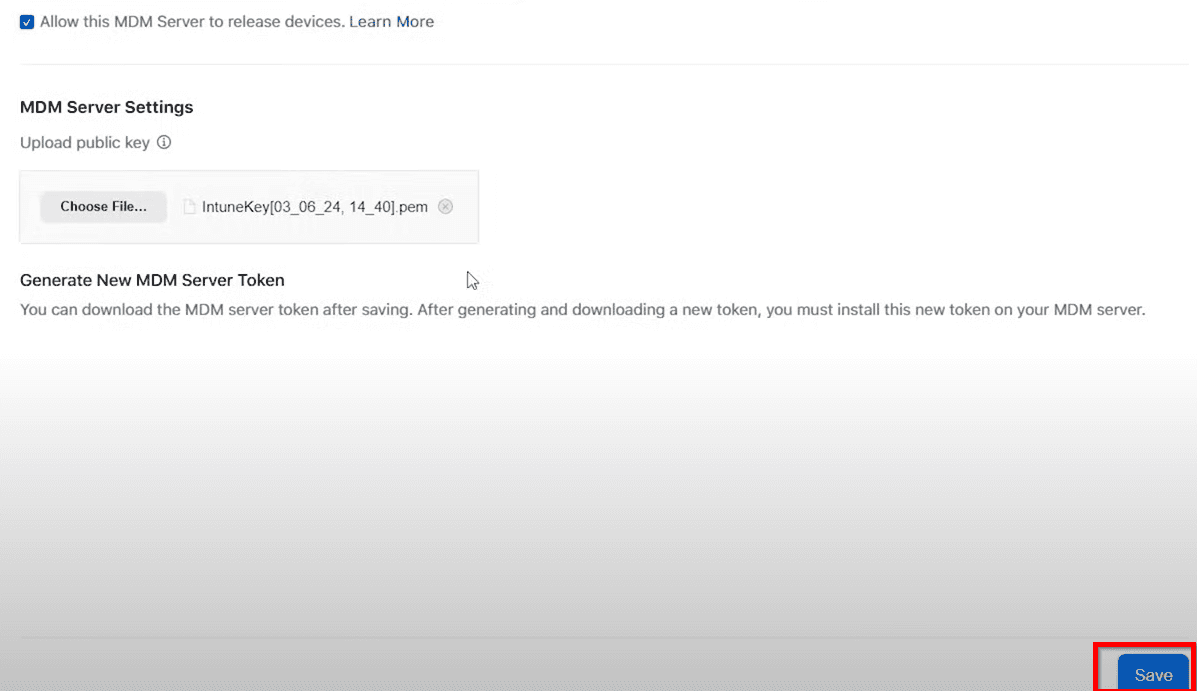
In the MDM Servers area, select Add, enter the MDM server name, upload the public key file downloaded from Intune, and save the new server.
Use a clear name so it is obvious later which tenant or environment the Apple Business Manager connection belongs to.
Step 6: Download the MDM Server Token
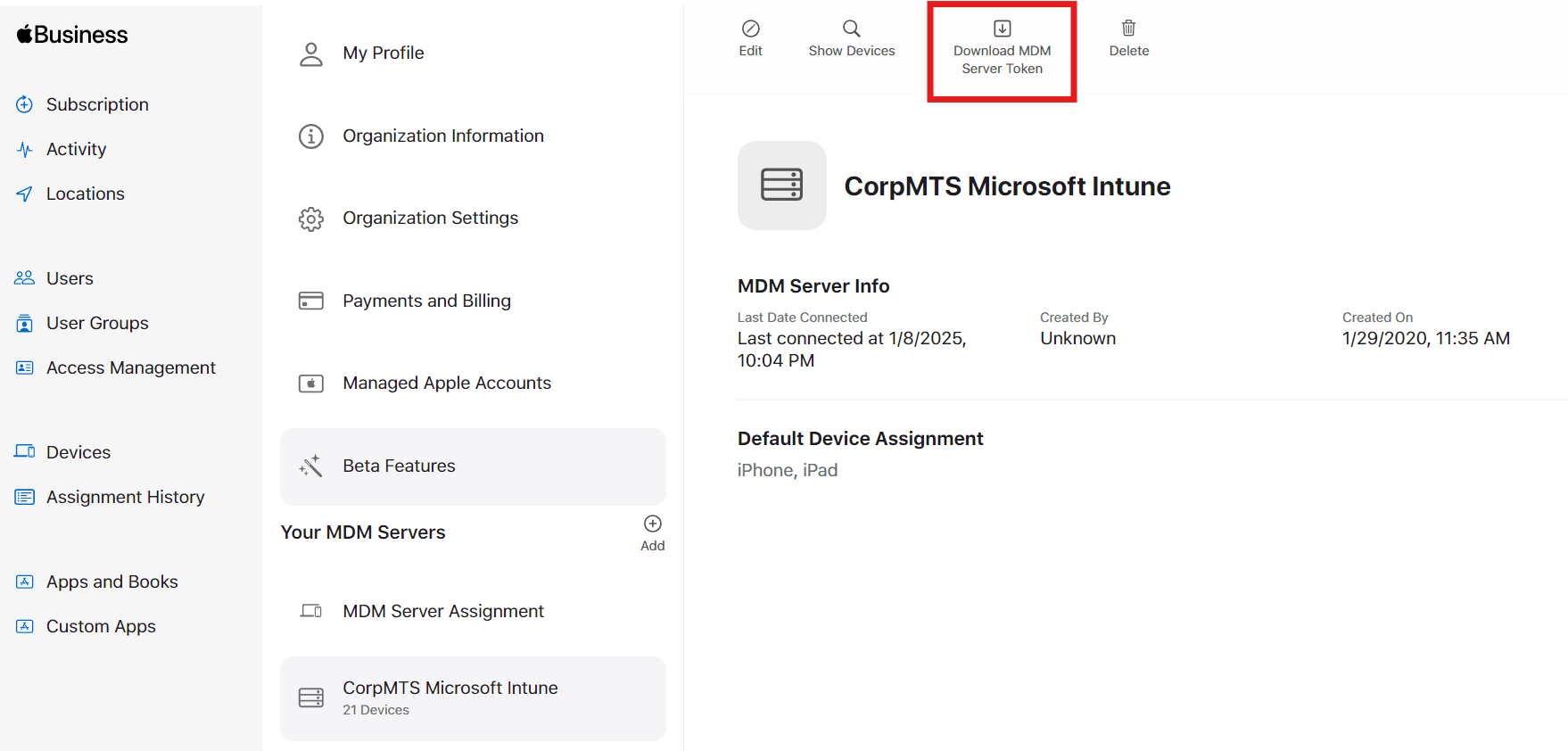
After the MDM server is created, go back to the MDM Servers page in Apple Business Manager and click Download MDM Server Token.
Step 7: Upload the Apple Token Back Into Intune
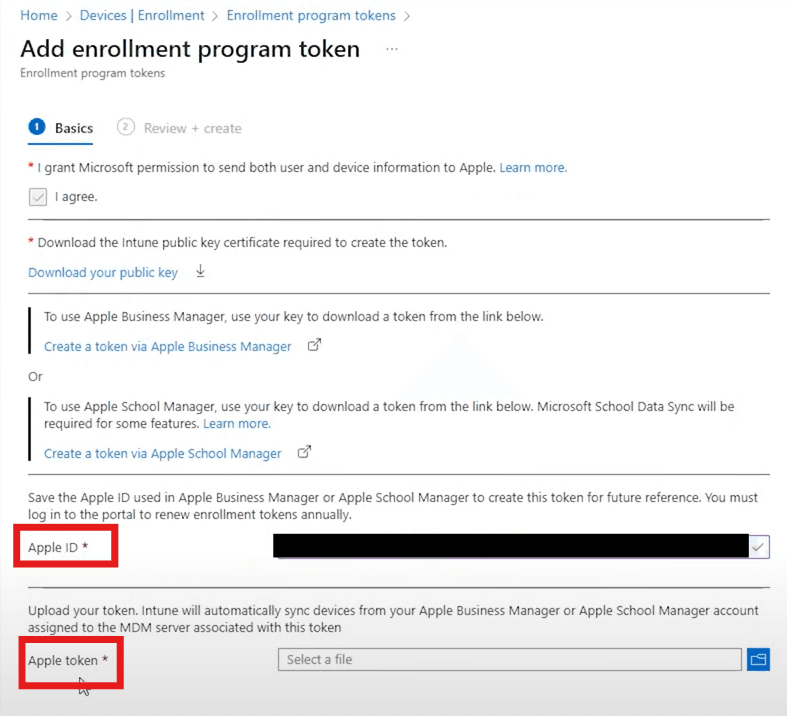
Return to Intune, enter the Apple ID used in Apple Business Manager, and upload the Apple token file that was just downloaded.
Once the token uploads successfully, Intune and Apple Business Manager are connected.
Notes for Your Environment
- Record which Apple ID was used when creating the token.
- Track the token expiration date so renewal does not get missed.
- Document the exact MDM server name used in Apple Business Manager.
- Confirm the connection before moving on to enrollment profile setup.